No matter if we are in regular session. or doing remote learning, a student should be talking about their learning! To do this, they need to be on apps like Flipgrid and Seesaw.
The Infused Classroom Blog
Holly Clark
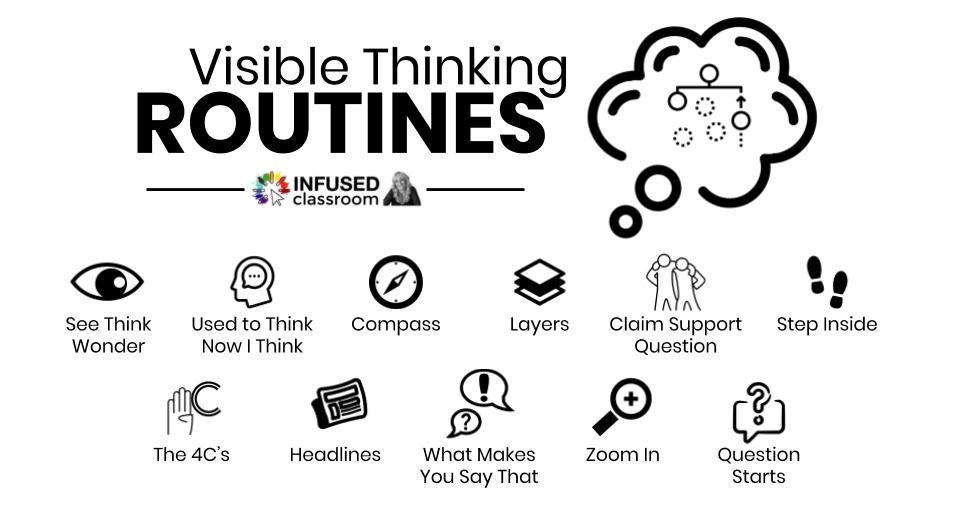
Visible Thinking Routines for #RemoteLearning
In this time of remote learning, it is important that we take a moment -no matter what our comfort level with remote teaching – to find a way to stay connected with our students and to truly understand where they are in the learning process Even remote learning can be student-centered.
What is an Infused Classroom?
In an Infused Classroom, the teaching and learning outcomes are the most important aspect, and technology simply enhances an already purposeful learning environment. Learn more about it in this post!
Getting To Know Your Chromebook
Get to know all the hidden features of Chromebooks and the keypad.
Student- Created VR Experiences – It is Easier Than You Think!
Virtual Reality in the classroom is really cool! Anyone who has played around with it knows it really ignites student energy and curiosity. The best part, however, is how really impactful it can be for relevant teaching and learning. Virtual reality (VR) is a simulated experience that opens the door to the wider real world.
Sketchnoting in the Chromebook Infused Classroom
If you have Chromebooks (or any device) in the classroom you can now change the way note-taking happens to make it more modern and purposeful. Notes no longer need to be linear and text-heavy – they can now be interactive and visual.
A Quick Look at the 4 C’s for The Chromebook Infused Classroom
What are the Four C’s, and why are they important to a Chromebook Classroom? Let’s take a QUICK LOOK in an effort to provide a basic overview of these concepts.
Is there Techquity in Your Chromebook Infused Classroom?
As more and more students get devices such as Chromebooks in their hands, education begins putting one foot forward toward more equitable digital access- access to both information and more relevant learning experiences
How to Use a Chromebook in The Classroom? 10 Essential Questions to Ask
Here are some questions to ask when using a Chromebook to make sure you are thinking about integrating or infusing technology in meaningful ways.
Two Powerful Formative Assessment Tools for the Chromebook Classroom
Looking for ways to do quick formative assessments on Chromebooks? Socraive and Flipgrid are a great start
Teachers, Meet Generation Z
They are the first kids born into a world with smartphones, tablets, and computers, and the first students to be born AG – After Google
What Happened to Curiosity in Schools?
Curiosity is Our Super-Power! Have you ever noticed that three and four-year-olds are exhaustingly curious? Have you experienced first hand the joy they get from exploration? Felt envious of their ability to devour information? Watched from the sidelines as they...